Field notes.md
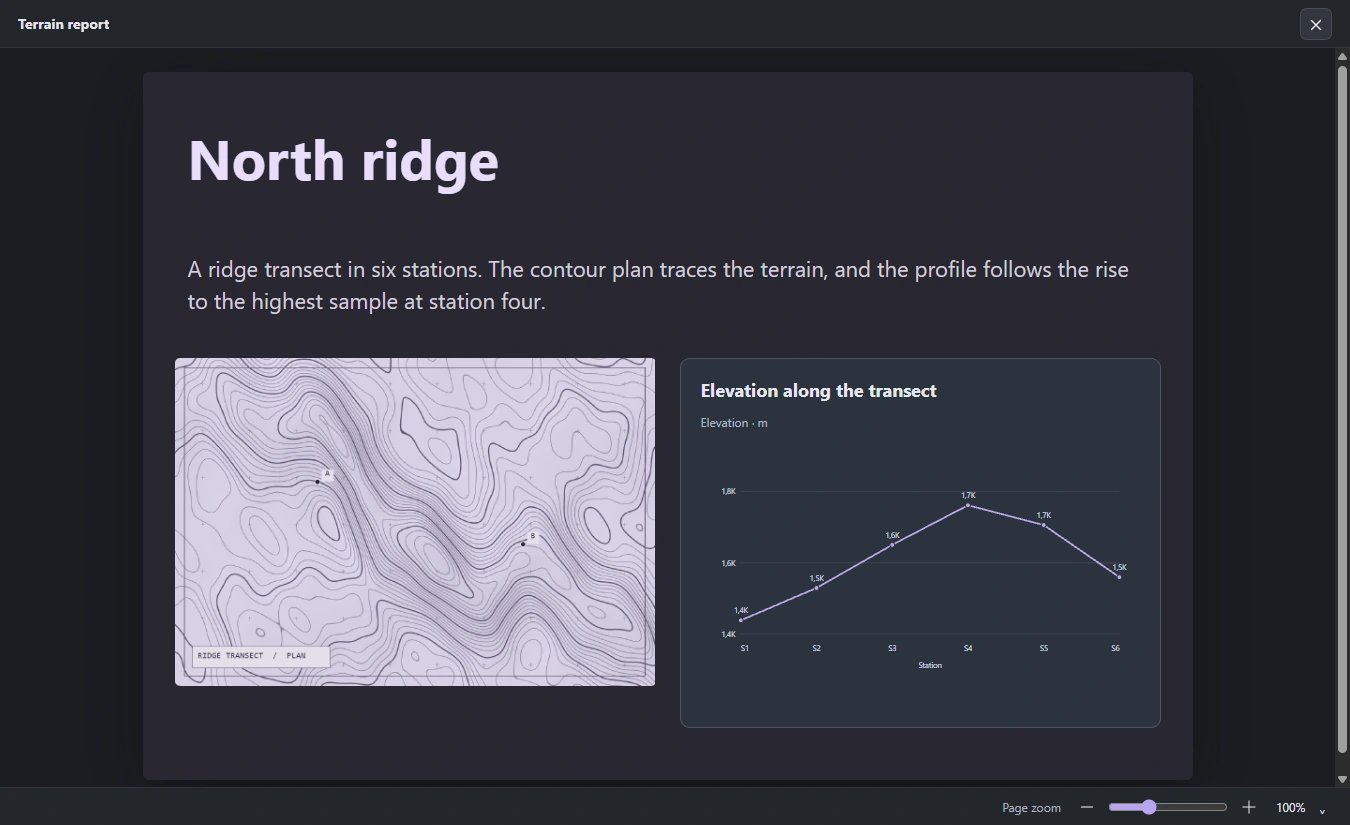
North ridge
Follow the ridge from A to B. Compare the shape of the relief with the spacing between contour lines.
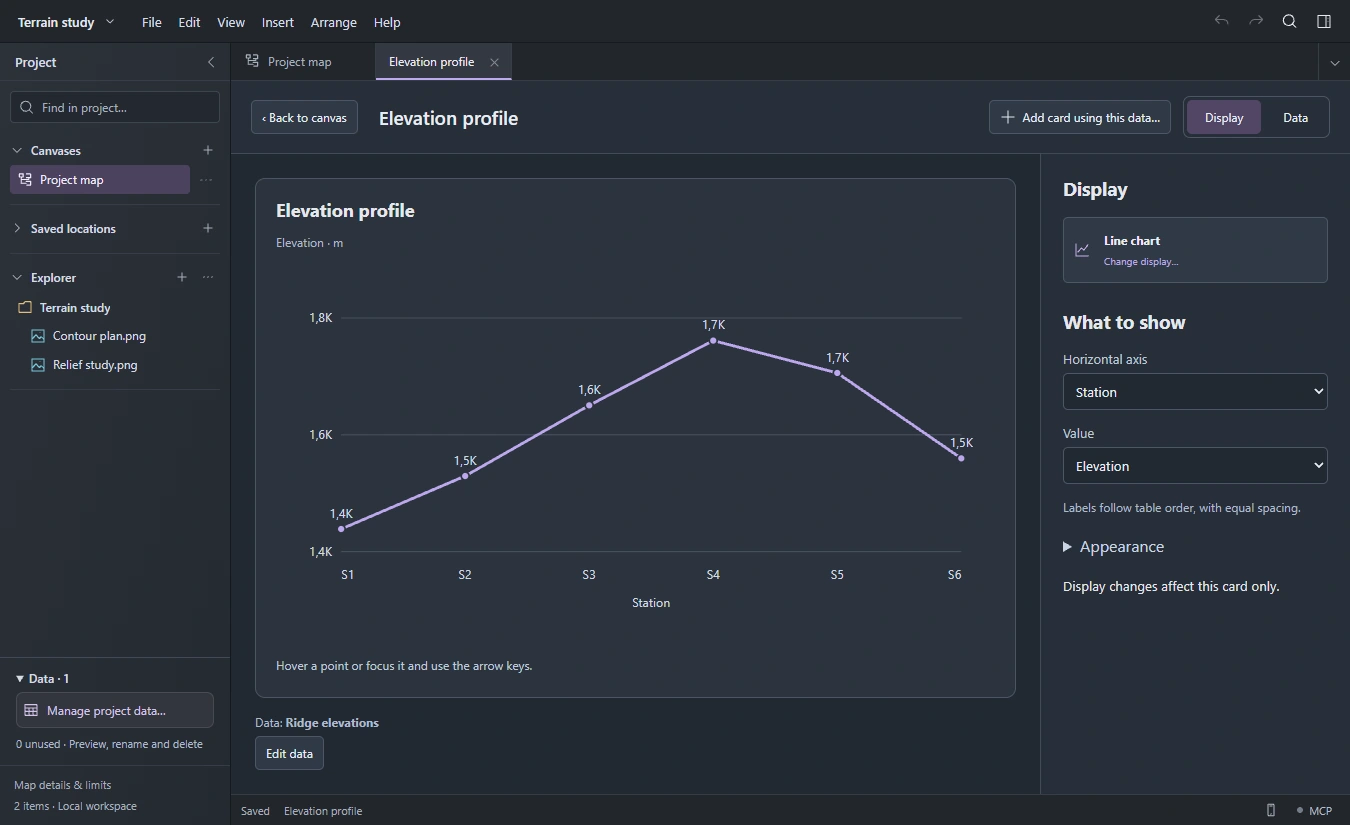
The highest sample is at station four.
A spatial workspace for Windows
Arrange files, notes, and models on a visual canvas. Keep everything in the project folder you already use.
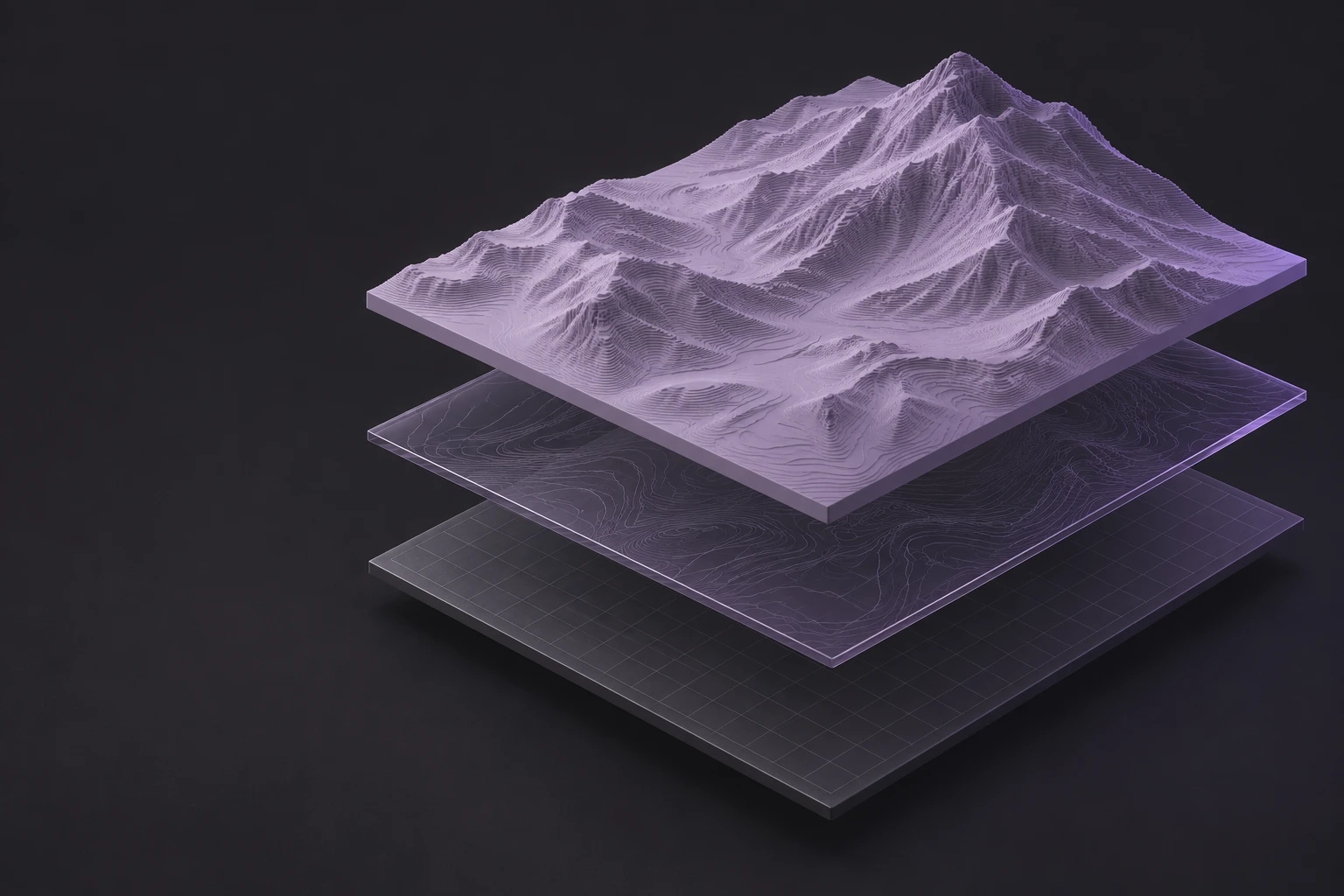 Relief
study.webp
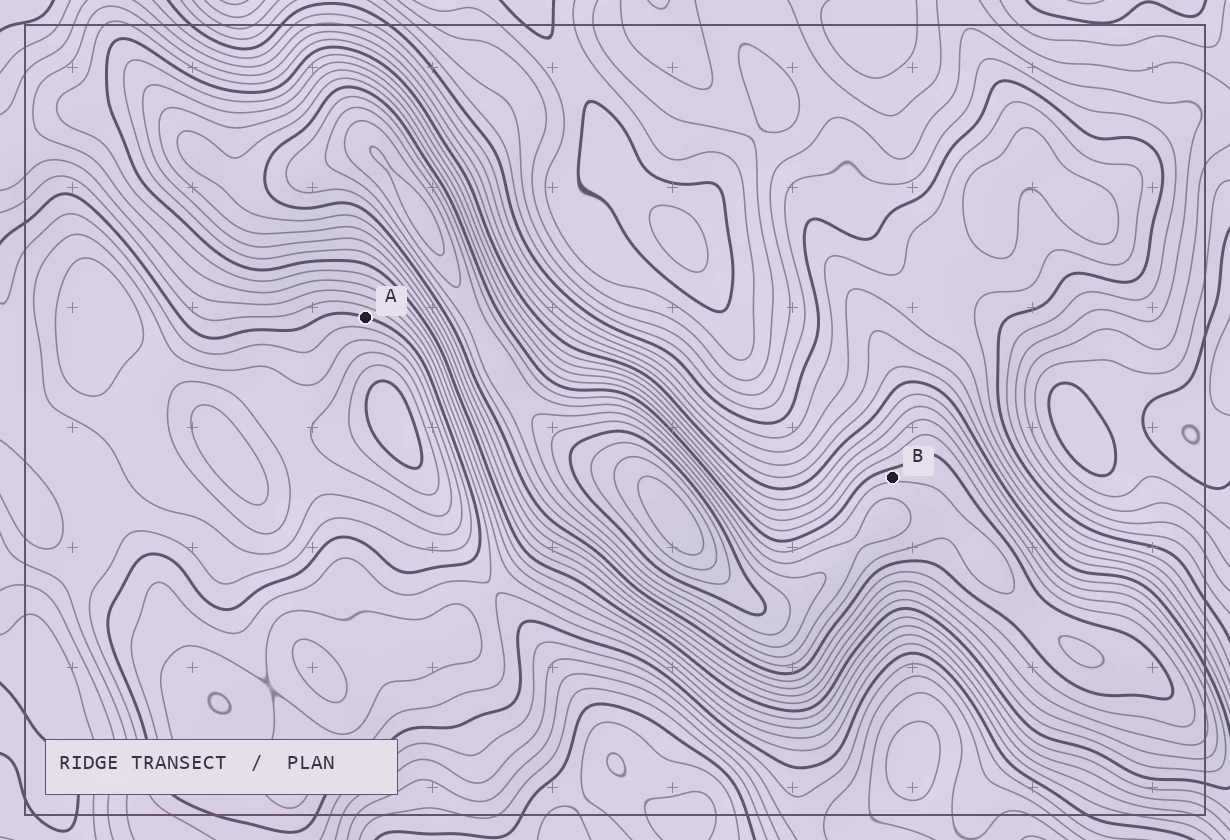
Field notes.md
Follow the ridge from A to B. Compare the shape of the relief with the spacing between contour lines.
Workspace tour
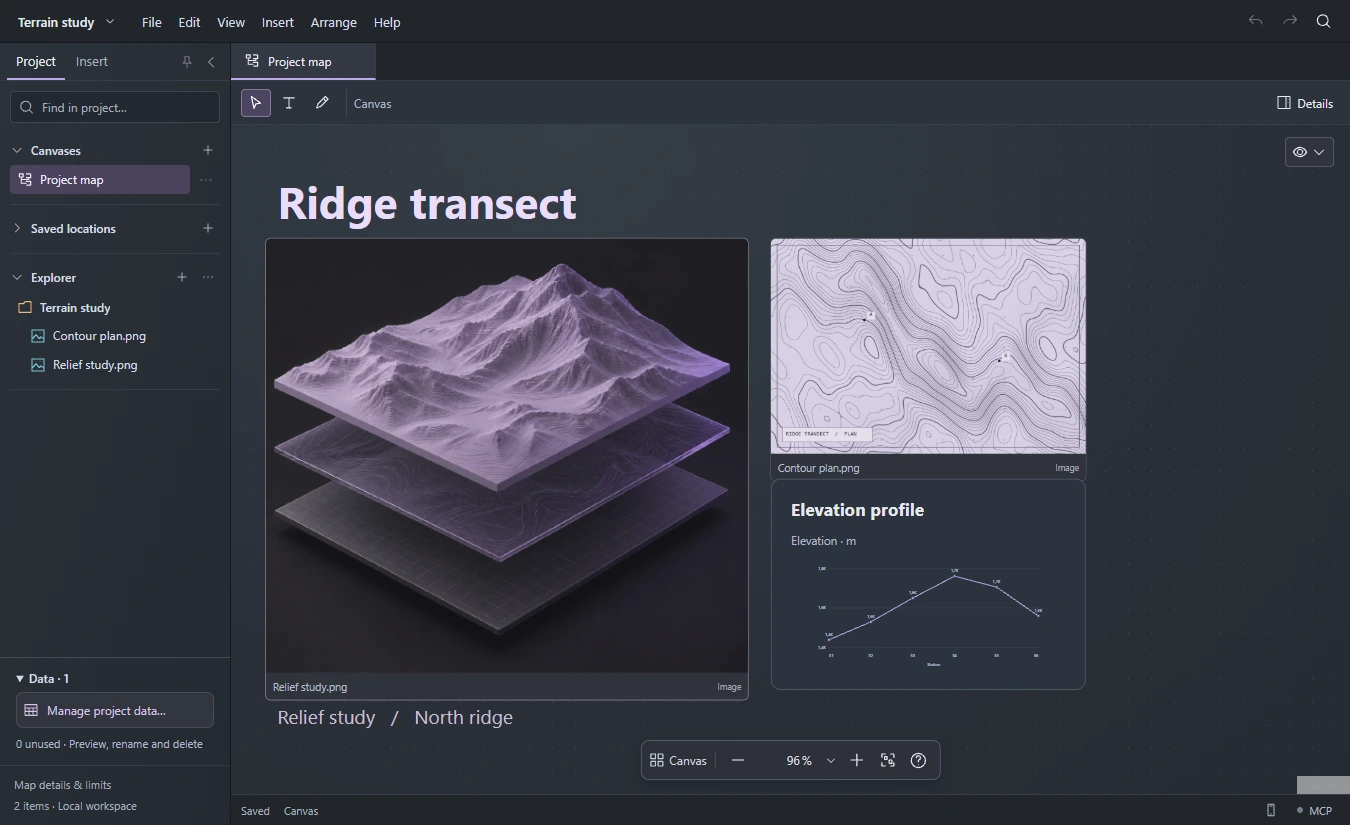
Open a folder and drag its files onto the canvas. In this terrain study, the relief, contour drawing, and elevation profile sit side by side for review.
Each canvas remembers its own arrangement. A file can appear in several views while its original stays in one place.
Six sample stations become a line across the ridge. Open the data card to inspect the readings or choose another way to display them.
Several cards can share a table. Edit a value once and each linked chart updates.
Bring the map, chart, and field notes into a page. In presentation view, the terrain report fills the window and the canvas tools fold away.
Pages support columns and stacked blocks. Collections keep a group of references together within a page.
File support
Preview a file in the workspace or open its original in the associated Windows app.
View PNG, JPEG, GIF, WebP, BMP, and SVG. Add annotation overlays to raster images while keeping the original file intact.
Read and search multipage PDFs. Edit plain text and Markdown in the app. Office document thumbnails depend on the preview providers installed on Windows.
Inspect GLB, glTF, OBJ, STL, and STEP models. Blender files can show their saved thumbnail and open in Blender for editing.
Play media in a viewer or on a presentation page. Playback depends on the codecs available to the installed WebView2 runtime.
Import CSV or TSV, paste a table, or enter values by hand. Use up to 200 rows and 12 columns in a table, with eight display options including line charts and progress cards.
Windows 11 · x64
Version 0.2.0-rc.1 comes as an unsigned installer or a portable ZIP. Start with a copy of your project folder.